








Tickets that work on a phone and on paper
Sell, distribute and validate tickets in one and the same system. The same QR code works on the screen and on the printout — and at the same check-in at the entrance.
The essentials first
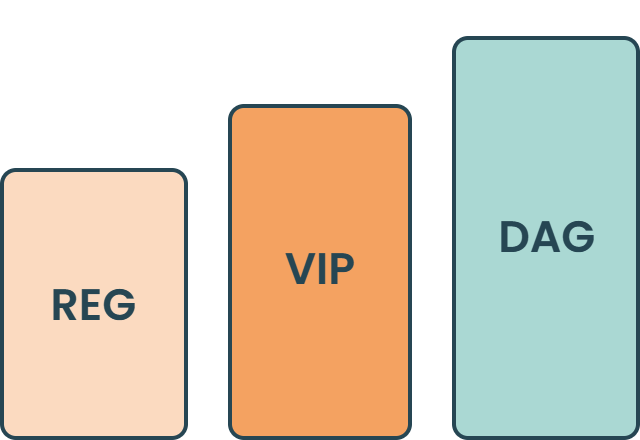
Several ticket types
Standard, VIP, day ticket or complimentary. Set the price, quantity and sales period per type — and close a type when it has sold out.

Confirmation straight away
The participant gets the ticket by email the second after purchase, with a QR code, calendar file and practical information about the venue.
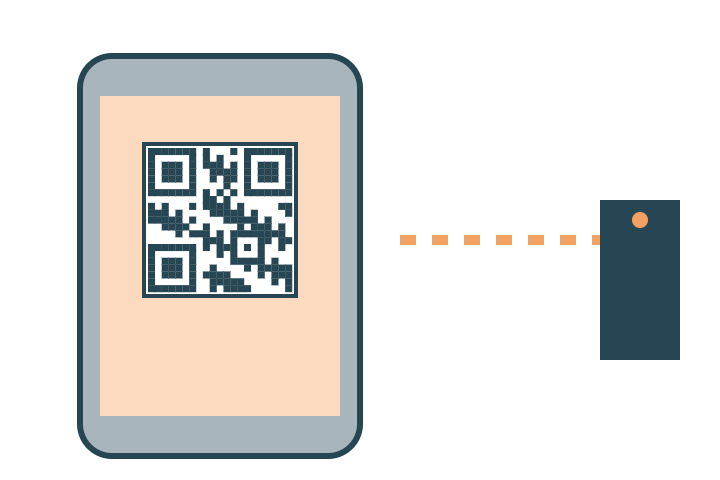
Validation at the entrance
Scan the QR code from a screen or paper. Duplicates are caught at once and the status is visible to all staff at the same time.
Everything included
The whole ticketing module in plain words — every feature included. Ask about anything you don't find here.
Ticket types
- Several types: standard, VIP, day ticket, student, complimentary
- Price and VAT per type
- Quantity limits per type and in total for the event
- Sales period per type, with automatic closing
- Price periods — early bird that switches to the standard price on a date
- Hidden tickets that can only be reached through a direct link
- Audience targeting — some types for invited guests only
- Extras linked to the ticket: dinner, workshop, accommodation
Purchase and payment
Card, Swish and invoice in the same checkout. You decide which groups pay with which payment method.
Several tickets in one purchase with details per participant
Discount codes — amount or percentage, limited number, time-limited
Partner codes and personal invitation links
Receipt created and sent automatically
Free events — the payment step can be switched off entirely
The ticket
QR code that works on screen and on a printout
Ticket by email within seconds of purchase
Calendar file and practical information in the same email
Ticket in the app and on the participant's own page
A new ticket on request when the email has gone missing
Your own design on the ticket
More information — build more around the ticket, such as information about the event.
Changes
Name changes without the ticket being reissued
Transfer to another person
Rebooking between ticket types with the price adjusted
Cancellation by rule: in full, in part or as a credit towards the next event
Validation and overview
- Scanning at the entrance from screen or paper
- Duplicate check that catches tickets already used
- Several scanning stations sharing one status in real time
- Sales overview: quantity, revenue and places left per type
- Export of purchases and participants to Excel
- Event log per ticket: bought, changed, scanned, cancelled
The details that make the difference
The things that turn up in week three of planning — built in from the start.
Payment
Card, Swish and invoice. Fees and VAT are handled per ticket type.
Discount codes
Time-limited codes, partner codes and personal invitation links.
Rebooking
Name changes and transfers without the ticket having to be reissued.
Cancellation
Refunds by rule — in full, in part or as a credit towards the next event.
We sold 2,400 tickets in six weeks and had a great overview of the finances the whole time.Project manager, trade fair in Gothenburg