







Invoices that take care of their own follow-up
Invoices as e-invoices, with reference checks. Paid, sent, overdue — the status shows in colour and the reminder goes out without you having to remember it.
The essentials first
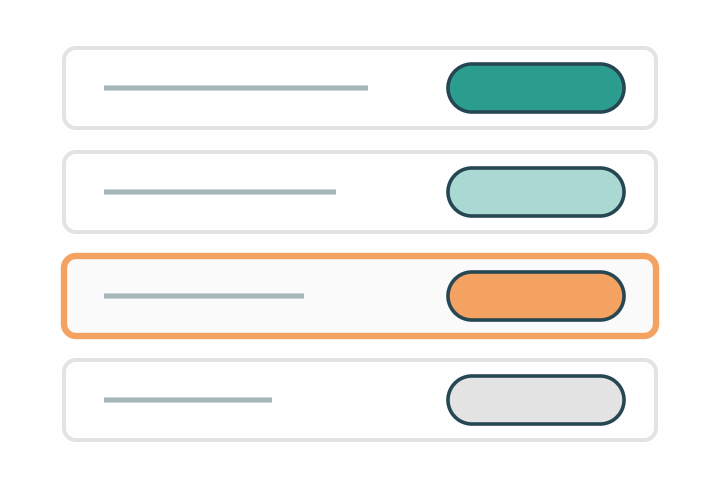
Status in colour
Paid, sent, overdue and draft. The list can be read in a second instead of being reconciled line by line.

VAT per item
Ticket, dinner and accommodation have different VAT rates — they are handled separately, and correctly, on the same invoice.

Reminders and export
The reminder goes out automatically after the due date, and the vouchers go out in your accounting format.
Everything included
The whole invoicing module in plain words — every feature included. Ask if your finance routine needs something that isn't listed here.
Creating the invoice
Invoice from the registration, automatically, when invoice payment is chosen
Manual invoice for anything that didn't come through a registration
Consolidated invoice for all of a company's participants
Partner invoice per package and add-on
Invoice details: reference, company registration number, cost centre, address
VAT per line and VAT-exempt items
Your own invoice template with logo and payment terms
Credit note on cancellation or correction
Partial credit and partial debit — when the participant adds or removes something
Sending
GLN check — straight away at registration
Reference check — straight away at registration
Email with a PDF to the invoice address
E-invoices sent through InExchange
Copy to the participant and to the booker
A shared send queue — review and send in batches
Follow-up
- Status in colour: draft, sent, paid, overdue, credited
- Automatic reminder on the due date
- Several reminder steps with their own texts
- Part payments registered against the invoice
- Manually marked as paid when the payment came another way
- Ageing analysis — what has been outstanding, and for how long
Towards the finance system
- Export of vouchers in your formats
- Accounts and cost centres per ticket type and extra
- Reconciliation against card and Swish payments
- Integration with the finance system via the API
Overview
- Revenue per event, ticket type and partner
- Outstanding amounts in real time
- Search for an invoice by number, company or participant
- Export to Excel
- Event log per invoice: created, sent, reminded, paid
The details that make the difference
The things that turn up in week three of planning — built in from the start.
Invoice reference
Cost centre and reference are captured in the registration, not afterwards.
Consolidated invoice
A company with twelve participants gets one invoice, not twelve.
Refunds
In full, in part or as a credit towards the next event — by rule, per ticket type.
Payment terms
Different terms for partners, members and the public sector.
The reconciliation after the event took an hour. The year before, it took three days.Finance manager, trade association