




The participant's event in their pocket
Everything the participant needs in a web-based app — with nothing to download from an app store. The participant reaches it through their personal link and finds their booking, their QR code and their own schedule there.
The essentials first
No app store
The app is reached through the participant's personal link. No account to create, nothing to download, no out-of-date version.
Their own booking
The booking and the QR code for check-in are right there — what the participant needs at the entrance is the first thing they see.
Their own schedule
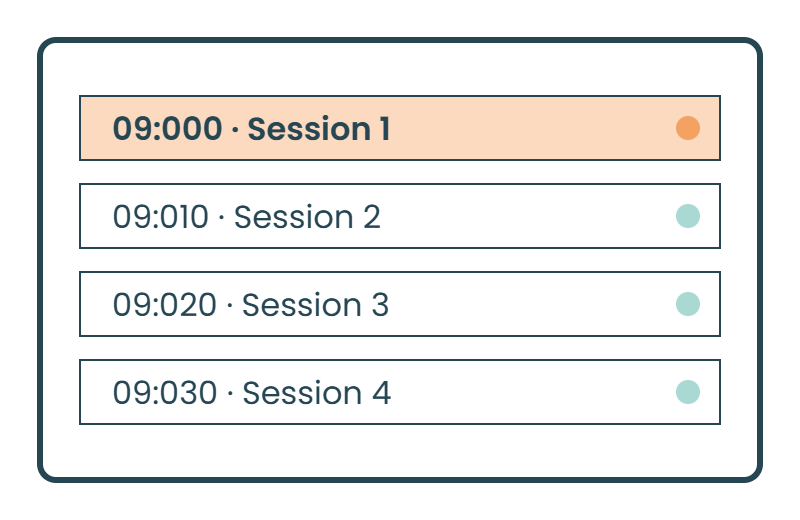
The programme with favourites, so the participant builds their own schedule from the whole — with a warning when two choices clash.
Everything included
The whole web app in plain words — what the participant sees and what you control. Ask about anything you don't find here.
Access
- Web-based app — nothing to download from the App Store or Google Play
- Personal link that takes the participant straight to their own pages
- Add to home screen — the app sits as an icon on the phone
- Works on iPhone and Android in the participant's usual browser
The participant's own pages
- Their own booking with what the participant has chosen
- QR code for check-in right in the app
- Their own schedule built from favourite sessions
- The whole programme with tracks, times and speakers
- Clash warning when two chosen sessions are at the same time
- Calendar export of their own schedule
- Digital ticket and QR code in the app
- Participant list, with the option to stay hidden
Content and identity
- The event's pages in the app — practical information, map, contact
- Map of the venue with floor plans and stands
- Offline mode: the programme stays available without a connection
- Your visual identity: logo, colours and typography
- The same content as the event website — one change, both updated
Notifications
- The participant subscribes themselves — on iPhone through the app on the home screen, on Android directly in the browser
- Reminders and updates before and during the event
- Reminder before a session with a lead time of your choice
- Selection per recipient group: everyone, one track or one ticket type
- Notification inbox so nothing is missed while the screen was locked
- Title, text, icon and target link, such as a programme page
- Built like emails and text messages, with the same mailing lists, selections and tags
The details that make the difference
The things that turn up in week three of planning — built in from the start.
Your visual identity
The event's pages in the app look like the event, not like a tool.
On the home screen
The participant adds the app to the home screen and has it there like any other app.
Push notifications
A reminder five minutes before the session, room changes and programme changes — to everyone or to one track.
Offline
The programme stays in the app even when the venue wifi gives up. Change a time and it shows as soon as the connection is back.
Nobody asked where the app was. They already had it in the link we had emailed.Project manager, annual conference